

What is HDR in Camera and When to Use It?

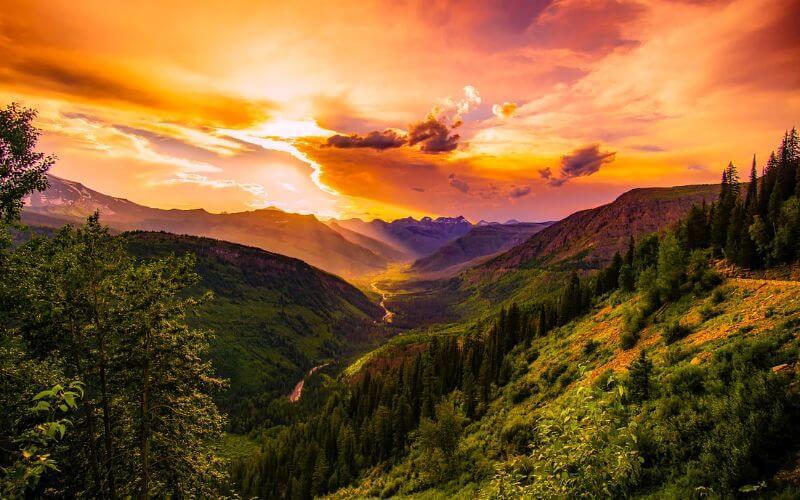
HDR in camera means High Dynamic Range, a mode designed for scenes where normal exposure cannot capture light evenly. This guide explains how HDR works, when to use it, when to turn it off, and how HDR photos and HDR video affect your final image quality.
Part 1: What is HDR?
HDR, or High Dynamic Range, is a camera mode that blends different exposures to keep details in both highlights and shadows. Compared with SDR, HDR gives you a wider tonal range, so bright skies, dark foregrounds, backlit faces, and mixed indoor/outdoor lighting look more balanced.
HDR is especially useful when a single exposure cannot capture the whole scene clearly. For example, if the sky looks white and the subject looks too dark, HDR can help recover detail from both areas and create a more natural-looking image.
HDR video applies the same idea to moving footage, keeping more highlight, shadow, and color detail across each frame. This helps bright windows, dark rooms, skin tones, and colorful scenes look more natural during recording or streaming.
Part 2: Does HDR Make A Difference on Camera?
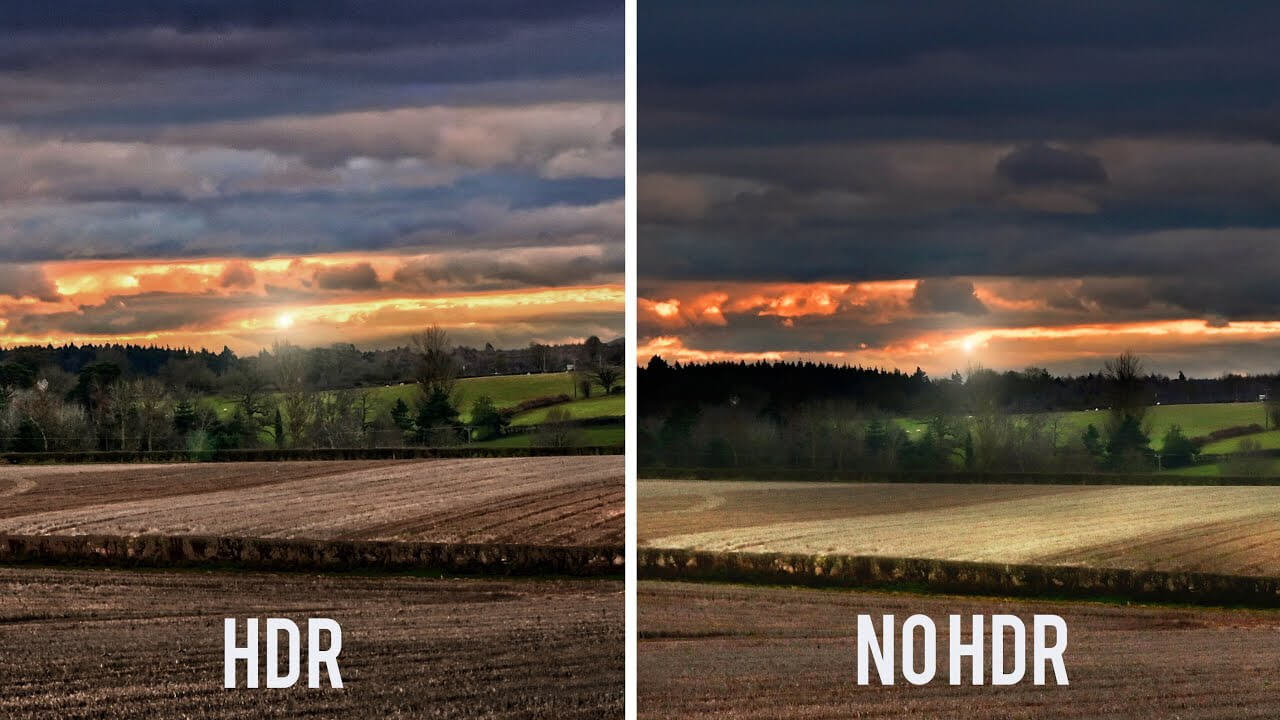
Yes. HDR can make a clear difference when a scene has strong contrast. It helps reduce blown-out highlights, lift dark shadow detail, and create a more balanced image.
How HDR works:
HDR captures multiple exposures of the same scene at different brightness levels. The camera may take one normal exposure, one darker exposure for highlights, and one brighter exposure for shadows. Then it combines them into one image with a wider range of visible detail.
Benefits of HDR in the camera:
- More balanced exposure: HDR helps prevent bright areas from turning white and dark areas from losing detail.
- Better highlight and shadow detail: It keeps important texture in skies, windows, faces, and shaded areas.
- Richer tones: HDR can make scenes look more realistic when used carefully.
- Useful in mixed lighting: It helps when indoor and outdoor light appear in the same frame.
Disadvantages of HDR:
- Slower processing: HDR may take longer because the camera needs to capture and combine more image data.
- Artifacts and haloing: Overprocessed HDR can create unnatural edges, halos, or exaggerated colors.
- Motion problems: Moving subjects may cause ghosting or blur if the camera cannot align the exposures correctly.
HDR is helpful, but it should not be used for every photo. Use it when the lighting range is difficult, and turn it off when the scene already looks balanced.
The Best HDR Camera for Video Recording/Streaming
If you need an HDR camera, OBSBOT Tiny 2 4K Webcam is the best choice. OBSBOT Tiny 2 is designed for video recording with advanced features. It offers voice and gesture control, allowing you to operate the camera hands-free and efficiently.
Now, let's introduce the OBSBOT Tiny 2, a camera that excels in capturing HDR video recordings.
Some of its notable specifications and features include:
- 1/1.5" CMOS: This sensor allows for superior light capture, resulting in sharper, clearer visuals even in challenging lighting conditions.
- 4K Ultra HD Resolution: The camera records video in stunning 4K resolution, delivering sharp, detailed footage.
- HDR Video: With HDR capabilities, the OBSBOT Tiny 2 captures a more comprehensive dynamic range, preserving details in both bright and dark areas of the scene.
- Tracking and Autofocus: The OBSBOT Tiny 2 incorporates advanced AI technology for precise tracking and autofocus, ensuring that the subject remains focused throughout the recording.
- Voice Control: You can control the camera using voice commands, making it convenient to start and stop recordings or adjust settings without physically interacting with the camera.
- Gesture Control: The camera recognizes gestures, allowing you to control functions like zooming or panning with simple hand movements.
Pros of Tiny 2:
- The small size makes it portable and easy to use in various settings.
- The HDR capability enhances video quality.
- The voice and gesture controls are one-of-a-kind and provide convenient operation.
Part 3: When to Use HDR in Camera?
After learning what HDR means in camera, it is time to understand when to use it. While the situation depends on the lighting conditions, here are several cases where HDR can be beneficial:
- High-Contrast Scenes: HDR helps with landscapes that have a bright sky and darker foreground.
- Backlit Subjects: HDR can brighten the subject while keeping the background under control.
- Indoor/Outdoor Mixed Lighting: HDR helps when windows, sunlight, and indoor shadows appear together.
- Low-Light Conditions: HDR can help preserve darker details, but it works best when the camera is stable.
Part 4: Tips to Use HDR in Camera
This section will cover some tips to help you make the most out of HDR and thus explain more on what is the function of HDR in a camera:
- Use a Tripod: A tripod keeps the frame steady, which helps the camera align multiple exposures more accurately.
- Enable Auto Exposure Bracketing (AEB): AEB captures different exposure levels automatically, making HDR shooting easier.
- Take Multiple Shots: Try different exposure values so you have more flexibility when merging HDR images.
- Consider RAW Format: RAW files keep more image data and give you better control during editing.
- Avoid Overprocessing: Keep HDR natural. Too much contrast, saturation, or sharpening can make the photo look fake.
- Post-Processing: Use HDR software or editing tools to merge exposures and fine-tune the final result.
- Bracketing and Burst Mode: These features help capture exposure variations quickly and reduce the chance of movement between shots.
- Experiment with Different Scenes: Try HDR with landscapes, architecture, portraits, and still life to understand when it helps most.
To improve your HDR photography skills, start with high-contrast scenes, shoot RAW when possible, keep the camera steady, compare bracketed exposures, and edit with a natural look instead of pushing contrast too far. Review your results by checking whether highlight detail, shadow detail, and color still look realistic.
FAQs About What Is HDR in Camera
1. Should HDR be on or off on the camera?
HDR should be turned on when shooting scenes with strong contrast, such as bright backgrounds and dark subjects. It helps balance highlights and shadows so details are not lost. However, HDR is not ideal for fast-moving subjects because it may cause motion artifacts. For webcams like OBSBOT Tiny 2, HDR works best in challenging indoor lighting.
2. Does HDR mean better quality?
No, HDR does not automatically mean better image quality. It mainly improves dynamic range by preserving details in both bright and dark areas. Overall quality still depends on lighting, sensor performance, lens quality, and image processing.
3. Is it better to have HDR on or off?
HDR is better when lighting conditions are high-contrast, such as backlit or unevenly lit scenes. It is better turned off when the lighting already looks balanced or when subjects move quickly.
4. Does HDR reduce image quality?
HDR can reduce image quality if it is overprocessed or used with moving subjects. Common issues include halos, ghosting, noise, or unnatural colors. When used correctly, it improves detail without making the image look artificial.
5. Is an HDR camera good?
Yes, an HDR-capable camera is useful because it handles difficult lighting more effectively. It helps maintain detail in scenes with both bright and dark areas, but the final result still depends on sensor quality, processing, and proper setup.
6. Is HDR better or worse for the eyes?
HDR can be easier on the eyes when brightness and contrast are well balanced. Poorly tuned HDR may appear too bright or harsh, so comfortable display settings are still important.
7. What are the best cameras for capturing HDR images?
The best cameras for HDR images are models that support RAW capture, auto exposure bracketing, strong sensor dynamic range, and reliable stabilization. Mirrorless cameras, DSLRs, advanced smartphones, and HDR-capable webcams can all work, but choose based on your use case: landscapes need RAW and bracketing, portraits need natural skin tones, and video calls or streaming need real-time HDR processing.
Conclusion
HDR in camera helps you capture more balanced photos and videos when bright and dark areas appear in the same scene. Use it for landscapes, backlit subjects, mixed lighting, and HDR video recording, but avoid overprocessing or using it on fast-moving subjects. If you need HDR for video calls, streaming, or recording, OBSBOT Tiny 2 is a practical option with HDR video, 4K resolution, tracking, autofocus, and hands-free controls.
대표이사 : 박버금
소재지 : 서울특별시 강남구 논현로111길 24-5 십이지HQ
사업자등록번호 : 105-87-47183 사업자 정보확인
통신판매업 신고번호 : 2014-서울강남-00395
개인정보보호책임자 : 김민지
호스팅 서비스 제공 : Alibaba Cloud
